


|
Name |
JN TUNNEL |
|---|---|
|
Google Play Link |
GET IT ON
Google Play
|
|
Category |
Tools |
|
Developer |
JA-HR |
| Last version | 2.8 |
|
Updated |
|
|
Compatible with |
Android 6.0+ |
Introduction to JN TUNNEL
JN TUNNEL is a utility app designed for Android users who want more control over their internet connection. It's not a browser, not a chat app, not a game — this one's all about building a stronger, safer link between you and the web, especially when networks start acting shady or limiting access. Developed by JAHRTEAM, it uses tunneling protocols to help you navigate around restrictions, maintain stability, and customize how your device connects to the internet. For anyone who's ever had their favorite app lag out or get blocked entirely, this tool steps in as the quiet fixer behind the scenes.
If you've ever dealt with throttled speeds, public Wi-Fi paranoia, or geo-restricted services, you're the kind of person this app quietly serves. JN TUNNEL operates under the radar, but the control it gives you is anything but basic. It's got protocol options (like SSH, SSL, HTTP), payload tools for custom builds, and even server lists you can scroll through and test in real time.
Where JN TUNNEL really earns its stripes is in how flexible it is. You don’t need to be a network engineer to get started, but if you are? You’ll find enough under the hood to make the tweaks you want. Casual users can simply pick a mode and connect. Power users can get granular — like generating payloads or using SNI injection to create connections tailored to specific online services. It’s like giving your phone a networking Swiss Army knife.
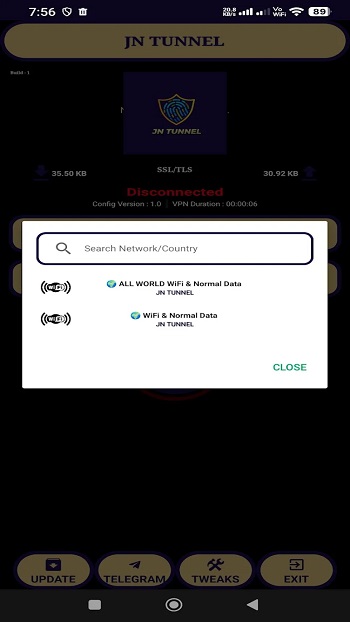
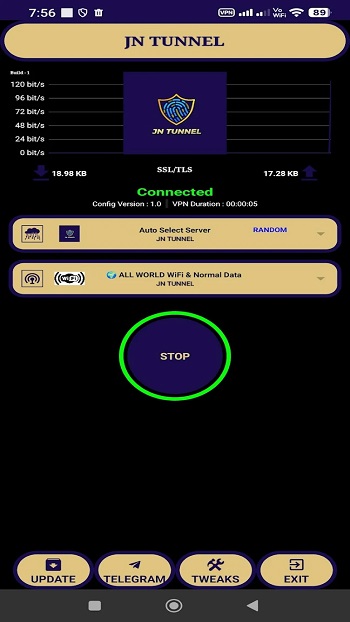
Let’s talk interface. Instead of throwing all the advanced settings in your face, it keeps things clean. Open it up, and you're met with a minimal layout — server options, connection type, connect button. That’s it. But behind a few taps are the custom options that more experienced users will appreciate. It keeps things easy for beginners without dumbing anything down, which is rare in this space.
The real-world performance backs it up, too. Whether you’re on spotty mobile data or locked-down public Wi-Fi, it maintains a surprisingly solid connection. The auto-reconnect feature handles drop-offs without needing your attention, and the connection logs give useful diagnostics if something goes sideways. The app is also gentle on your battery and mobile data — important when you’re out and about.
But here’s the thing: it does ask for a bit of patience upfront. If you’re new to tunneling apps, the terminology might be unfamiliar. There’s no built-in walkthrough or interactive guide, so you may need to poke around online or check community forums to fully understand features like payload setups or SNI tweaks. Still, once you get past that first wall, using it becomes second nature.
So who's this app really for? People who live in places with internet restrictions. Users who care about privacy when browsing on public networks. Or folks who just want to stabilize their connection when everything else fails. It’s not flashy, and it’s not trying to be — but it’s powerful in all the right ways.
FAQs JN TUNNEL
What is JN TUNNEL?
+
JN TUNNEL is a VPN-style Android app that uses tunneling protocols like SSH and SSL to create secure, stable, and customizable internet connections.
Is JN TUNNEL safe to use on public Wi-Fi?
+
Yes, JN TUNNEL adds a layer of encryption through tunneling methods, helping protect your data when you're on open or untrusted networks.
Does JN TUNNEL work without root access?
+
Absolutely. JN TUNNEL works on most Android devices without needing root, making it accessible to casual users and advanced users alike.
Can I choose my own server in JN TUNNEL?
+
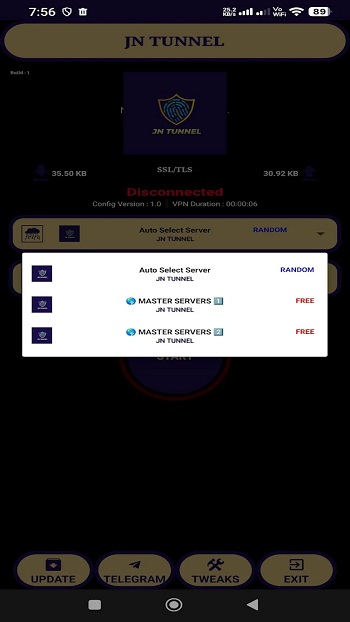
Yes, the app includes a built-in list of public and private servers, and you can also add your own for more personalized connections.
Who should use JN TUNNEL?
+
It’s ideal for users in restricted areas, anyone needing better mobile data stability, or people who want more privacy while online.
Discover More Interesting Apps
-

AdGuard VPN
v2.16.65
48.00 Mb
Updated -
Cast to TV
v14.6.2
41.00 Mb
Updated -
Mod
GG Mouse Pro
v3.1.9
29.55 Mb
Updated -
Mod
Djezzy
v3.0.6
30.41 Mb
Updated -
Mod
Popup Widget
v4.0.3
2.00 Mb
Updated -
HaloVPN
v19.2.2
90.08 Mb
Updated -
PC Mirror
v1.8.34
45.04 Mb
Updated -
Matadhikar
v1.5.10
25.53 Mb
Updated -
Anna Lottery
v9.4.2
50.38 Mb
Updated -
ScreenCast
v7.4
24.38 Mb
Updated










Share Your Thoughts